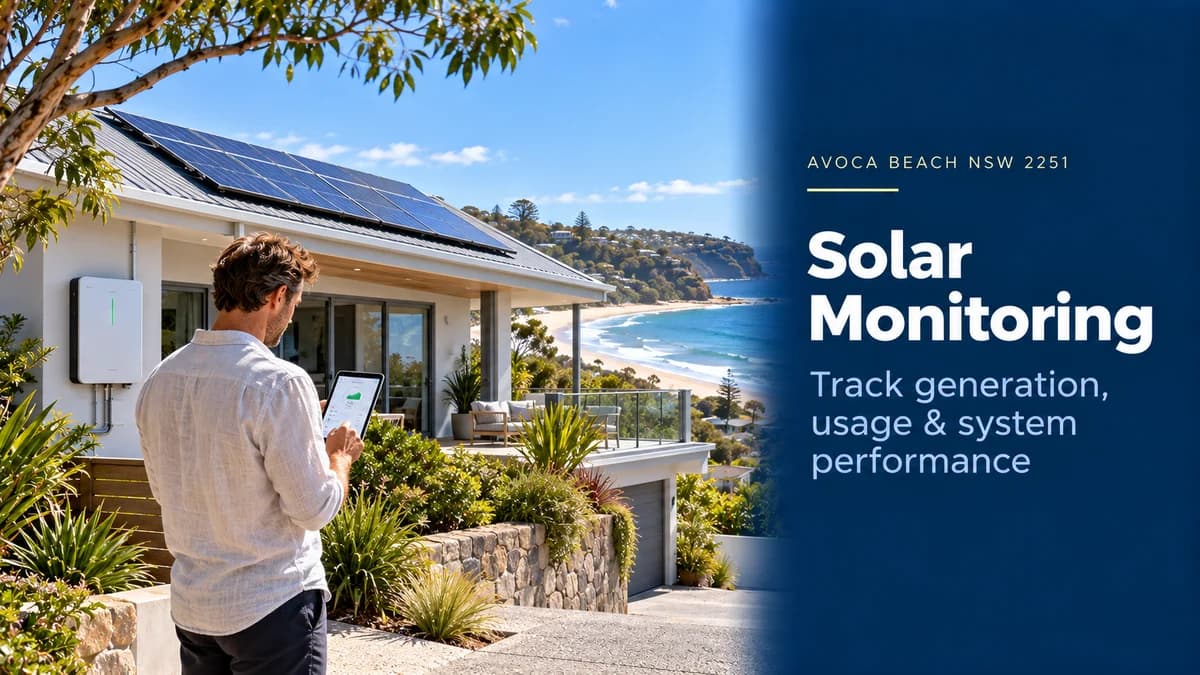
Solar Monitoring Avoca Beach: What Should You Track?
Have solar in Avoca Beach NSW 2251? Learn how to monitor generation, household consumption, grid imports, exports, battery status and system alerts remotely.
Solar Monitoring for Avoca Beach Homes: What Should You Actually Track?
Installing rooftop solar is only the beginning.
For homeowners in Avoca Beach NSW 2251, solar monitoring allows you to see whether your system is generating as expected, how much electricity your home is using and when you are still drawing power from the grid.
A good monitoring setup can help answer questions such as:
How much solar did I generate today?
How much of that electricity did I use myself?
How much was exported?
When does my home consume the most electricity?
Is my battery charging correctly?
Has the inverter reported a fault?
Has solar production suddenly dropped?
Kratos Energy states that its systems include Wi-Fi monitoring so customers can track generation, consumption and savings, while system alerts can often be investigated remotely through its support process. (Kratos Energy)
You can review the inverter technologies currently installed by Kratos on the Kratos Solar Products page.
Why Solar Monitoring Is Useful in Avoca Beach
Avoca Beach is predominantly made up of detached housing.
According to the 2021 Census, 86.7% of occupied private dwellings in Avoca Beach were separate houses. The Census also recorded 27.4% of private dwellings as unoccupied on Census night. That second figure should not be interpreted as the percentage of holiday homes, but it does show that not every property was continuously occupied at the time of the Census. (Australian Bureau of Statistics)
For solar owners, remote monitoring can therefore be especially useful when:
The property is not occupied every day
You travel regularly
The inverter is installed away from everyday view
You want to check performance without inspecting equipment
A fault occurs while nobody is home
Instead of discovering months later that a system stopped generating, an online monitoring platform can make unusual performance easier to identify. More details...
The 5 Solar Numbers Worth Monitoring
You do not need to watch dozens of technical values every day.
For most homeowners, five numbers provide the most useful picture.
Metric | What It Tells You |
Solar generation | How much electricity your panels produce |
Household consumption | How much electricity the home is using |
Self-consumption | How much solar is used directly in the home |
Grid import/export | Electricity bought from or sent to the grid |
Battery status | Charge level and battery energy flow, where installed |
Understanding these values makes the monitoring app far more useful than simply checking whether the panels produced electricity today.
1. Solar Generation
The first number to check is solar production.
Monitoring platforms normally show generation in:
kW — current solar power
and
kWh — energy generated over a period of time.
For example:
Current production: 4.2kW
means the system is producing approximately 4.2 kilowatts at that moment.
Today's generation: 27kWh
means it has produced approximately 27 kilowatt-hours of electricity during the day.
Most monitoring apps allow you to view performance by:
Day
Month
Year
Lifetime generation
The longer-term view is usually more useful than judging the system from one cloudy day.
What Should Normal Solar Production Look Like?
Solar generation is not constant.
It changes with:
Season
Weather
Cloud cover
Roof orientation
Shade
Temperature
System size
A clear summer day should generally look very different from a cloudy winter day.
Instead of asking:
“Did I generate the same amount as yesterday?”
look for unexplained changes such as:
Similar weather + similar season + dramatically lower output
That can justify closer investigation.
2. Household Electricity Consumption
Generation tells you what the solar panels are doing.
Consumption tells you what the house is doing.
Full consumption monitoring normally requires compatible metering hardware—such as a smart meter, energy meter or current transformers—installed and configured with the inverter system.
When properly configured, monitoring can show loads such as:
Air conditioning
Pool pumps
Electric hot water
Cooking
Laundry
EV charging
General household consumption
This can reveal opportunities to move flexible electricity use into daylight hours.
Why Consumption Monitoring Can Matter More Than Generation
Imagine your solar system generates:
30kWh today
That sounds excellent.
But what happened to the electricity?
Household A
Uses 22kWh directly and exports 8kWh.
Household B
Uses only 6kWh directly and exports 24kWh.
Both generated exactly the same amount of solar.
But they are using the system very differently.
Monitoring consumption allows you to see whether appliances can be shifted into the solar-production window.
3. Grid Imports and Solar Exports
A complete energy-monitoring system can show electricity moving in both directions.
Grid import
Electricity your home purchases from the network.
Solar export
Excess solar electricity sent to the grid.
A typical daytime energy flow could look like:
Solar generation: 5kW
Home consumption: 3kW
Grid export: 2kW
Later that evening:
Solar generation: 0kW
Home consumption: 2kW
Grid import: 2kW
This is the information that helps homeowners understand when they are actually relying on grid electricity.
4. Solar Self-Consumption
Self-consumption means using your rooftop solar directly inside the property.
A simple calculation is:
Solar used in the home ÷ total solar generation × 100
For example:
Solar generation:
30kWh
Solar consumed directly:
18kWh
Self-consumption rate:
18 ÷ 30 × 100 = 60%
Increasing self-consumption can often improve the value of rooftop solar because it reduces the electricity you need to buy from the grid.
Possible daytime loads include:
Dishwasher
Washing machine
Pool pump
Heat-pump hot water
Air conditioning
EV charging
Monitoring helps you identify the best time to operate these loads.
5. Battery Monitoring
If your Avoca Beach home includes battery storage, the monitoring platform may provide additional information.
Typical battery data includes:
State of charge
Charging power
Discharging power
Solar-to-battery flow
Battery-to-home flow
Grid charging
Backup reserve
For example:
Battery state of charge: 72%
means approximately 72% of the battery's usable monitored charge remains, subject to the manufacturer's operating logic.
Monitoring can help identify whether the battery is:
Charging adequately from solar
Discharging during the expected period
Holding an emergency reserve
Importing unexpectedly from the grid
Which Monitoring Apps Work With Kratos Inverters?
The exact app depends on the inverter brand and model installed.
Kratos currently lists inverter brands including GoodWe, Sungrow, FoxESS and Sigenergy among its residential equipment options. (Kratos Energy)
Examples of the manufacturers' monitoring platforms include:
Inverter Brand | Monitoring Platform |
GoodWe | SEMS Portal / SEMS+ |
Sungrow | iSolarCloud |
FoxESS | FoxCloud |
Sigenergy | mySigen |
These are manufacturer platforms—not separate Kratos apps.
GoodWe describes SEMS Portal as a platform for monitoring inverter and plant operating data and alarms. (GoodWe) Sungrow's iSolarCloud provides system monitoring and real-time fault information. (SUNGROW) FoxESS's FoxCloud provides production and consumption tracking, while Sigenergy's mySigen displays energy flows including solar production and household usage. (Fox ESS)
The functions available to your home depend on the exact inverter, meter, battery and communications hardware installed.
Generation Monitoring vs Consumption Monitoring
This distinction is important.
Some systems monitor only what the inverter produces.
That can show:
Solar power
Daily solar generation
Historical generation
Inverter status
But it may not show exactly how much electricity your home consumes.
For full energy-flow monitoring, additional compatible metering hardware may be required.
A more complete system can show:
Solar → Home → Battery → Grid
rather than simply:
Solar → Inverter
When receiving a quote, ask:
“Does this include household consumption monitoring, or only solar generation monitoring?”
What Hardware Makes Remote Monitoring Possible?
Depending on the system, monitoring can involve:
Inverter communications
Wi-Fi, Ethernet or another supported communication method connects system data to the manufacturer's monitoring platform.
Smart meter or CT sensors
These measure electricity entering or leaving the home.
Battery communications
Battery systems communicate operating data such as state of charge and charging power.
Internet connection
Remote app visibility generally depends on the monitoring equipment maintaining a connection to the relevant online platform.
The exact hardware varies by manufacturer and system configuration.
What Happens If Home Wi-Fi Goes Offline?
Losing internet access does not necessarily mean the solar system has stopped generating.
In many installations, the inverter continues operating normally while cloud monitoring becomes temporarily unavailable.
The homeowner may see:
System offline
Data unavailable
Delayed updates
Once communications are restored, behaviour varies by manufacturer and device.
If the monitoring platform remains offline while the home's internet connection is working normally, the communications hardware may need troubleshooting.
Do not assume an app showing "offline" automatically means the panels are faulty.
Solar Alerts: Which Ones Matter?
Monitoring apps can generate alerts for several reasons.
Possible examples include:
Grid-voltage issue
Communication failure
Inverter fault
Meter/CT communication issue
Battery warning
Network interruption
An alert is useful because it tells you where to begin investigating.
It is not always proof that equipment has failed.
For example, an inverter may temporarily stop because grid voltage is outside its allowable operating range and resume once conditions normalise.
If an alert persists, record:
Error message
Error code
Time of occurrence
Screenshot
Whether generation has stopped
Kratos advises customers with system alerts to lodge a support request, noting that many issues can be investigated remotely. Visit Kratos Warranty & Support. (Kratos Energy)
Why Daily App Checking Is Usually Unnecessary
Solar monitoring is useful, but homeowners do not need to watch the app every hour.
A more practical routine is:
Occasionally
Check that the system is online and generating.
Monthly
Compare recent production against previous months or the same season.
After major weather
Check that generation has returned to normal.
When electricity bills change unexpectedly
Compare grid imports, solar output and household consumption.
When an alert appears
Review the error and contact support if it persists.
Monitoring should provide reassurance—not become another appliance you constantly need to supervise.
Using Monitoring to Detect Underperformance
One of the strongest uses of historical monitoring is comparison.
Suppose your system normally generates around:
25–30kWh on comparable clear days
but suddenly produces:
12–15kWh
for several clear days.
Possible causes might include:
New shading
Panel/string fault
Inverter issue
System limitation
Metering problem
One unusual day does not prove a fault.
A repeated pattern is more useful evidence.
Historical charts can help technicians see when the change started, which can make diagnosis easier.
Avoca Beach and Ausgrid Outages
Avoca Beach is within the Ausgrid electricity network, as reflected in Ausgrid's service and outage information for the suburb. (Ausgrid)
This matters when interpreting solar monitoring.
During a grid outage, a standard grid-connected solar inverter normally shuts down for network safety unless the property has an appropriately configured battery-backup system.
So if your app shows solar production dropping to zero during a confirmed network outage, that does not necessarily indicate a solar fault.
Always check whether there is a local power interruption before troubleshooting the inverter.
Remote Monitoring Can Be Useful for Less Frequently Occupied Properties
The 2021 Census recorded 27.4% of Avoca Beach private dwellings as unoccupied on Census night, compared with 9.4% across NSW. This does not establish whether those properties were holiday homes, vacant homes or temporarily unoccupied for another reason. (Australian Bureau of Statistics)
But for any property that is not occupied continuously, remote solar monitoring can provide useful visibility.
From another location, an owner may be able to check:
Whether the inverter remains online
Recent solar generation
Battery charge status
Whether a fault alert has appeared
That can help identify problems before the next visit.
Solar Monitoring Checklist for Avoca Beach Homes
A useful monitoring setup should answer these questions:
Solar
How much are the panels producing now?
How many kWh were generated today?
What is the monthly trend?
Household
How much electricity is the home using?
When are peak loads occurring?
Is daytime consumption increasing?
Grid
How much electricity is imported?
How much solar is exported?
Battery
What is the state of charge?
Is it charging from solar?
When does it discharge?
System Health
Is the inverter online?
Are there persistent alerts?
Has generation changed unexpectedly?
If your monitoring platform cannot display household consumption, ask whether compatible metering hardware can be added.
Frequently Asked Questions
How can I monitor my solar system in Avoca Beach?
Does Kratos provide solar monitoring?
Why can I see solar generation but not household usage?
Does an offline monitoring app mean my solar has stopped?
Can solar monitoring detect faults?
Can I monitor my solar when I am away from home?
What monitoring apps do Kratos inverter brands use?
Which electricity network covers Avoca Beach?
Solar Monitoring in Avoca Beach: The Bottom Line
For an Avoca Beach NSW 2251 home, solar monitoring should give you more than a daily generation number.
The most useful setup provides visibility into:
Solar generation → household consumption → grid imports/exports → battery status → system alerts.
Generation monitoring tells you whether the panels are producing.
Consumption monitoring tells you whether you are using that solar effectively.
Alerts and remote visibility help identify potential issues before they remain unnoticed for weeks or months.
Kratos currently supports Wi-Fi-connected monitoring across its residential solar installations, with after-sales assistance available when system alerts or performance issues need investigation. (Kratos Energy)
Explore Kratos solar panels and inverters
Visit Kratos Warranty & Support
Request a tailored Kratos solar quote
A well-monitored solar system does not just tell you how much power you generated—it shows you how effectively your home is using it.
Solar System Packages
Tier 1 panels & CEC accredited installation.
- Trina 475W or Jinko panels
- 5kW power inverter
- 14 × 475W panels
- Single-phase compatible
- Trina 475W or Jinko panels
- 8–10kW power inverter
- 21 × 475W panels
- Battery & EV ready
- Trina 475W or Jinko panels
- 10kW power inverter
- 27 × 475W panels
- Three-phase compatible